-

·
6 Steps to Comment on Facebook Live Streams from Your Phone
Facebook Live allows you to broadcast video to your friends and followers in real-time. One of the best features is the ability for viewers to comment and interact during the live stream. Engaging with your audience through comments can make your live streams much more dynamic and fun. In this guide, we’ll walk through the…
-

·
6 Steps to Restrict Someone on Facebook Using Your Phone
Are you looking for a way to limit what certain Facebook friends can see on your profile without completely blocking or unfriending them? Facebook’s Restricted list feature allows you to do just that. When you add someone to your Restricted list, they will only be able to see your public posts and information. Here’s a…
-

·
7 Steps to Find Nearby Friends on Facebook Mobile
Facebook is one of the most popular social media platforms, allowing you to connect with friends and family all over the world. But did you know you can also use Facebook to find friends who are physically nearby? Whether you’re looking to meet up with old acquaintances or make new connections in your area, Facebook…
-
·
6 Steps to Add Your Business Location on Instagram
Instagram has become an essential marketing tool for businesses of all sizes. One key feature that can help boost your business’s visibility and engagement on the platform is adding your location. By tagging your business location in posts and stories, you make it easier for potential customers to find you. Here’s a step-by-step guide on…
-
·
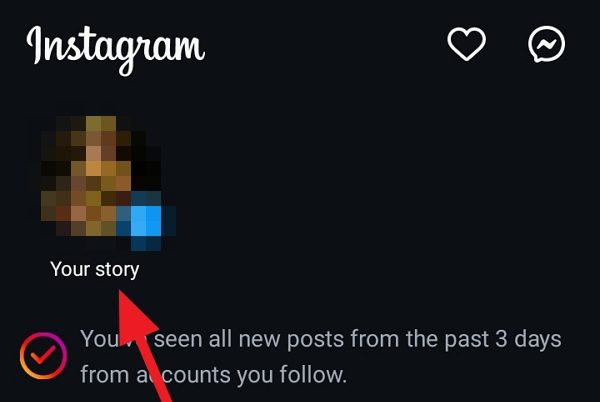
6 Steps to Highlight Text on Your Instagram Story
Instagram Stories are a fantastic way to engage with your followers and share snippets of your day-to-day life. One great feature is the ability to highlight text in your stories, making certain words or phrases stand out. Highlighting text can help emphasize important information, add visual interest, or simply make your story more eye-catching. In…
-
·
5 Steps to Pause Instagram Reels Without Holding in 2024
Instagram Reels have become a popular way to consume short-form video content on the platform. However, one common frustration users face is the inability to easily pause a Reel without holding down on the screen. In this article, we’ll explore various methods to pause Instagram Reels without the need to continuously hold your finger on…
-
·
4 Steps to Stop Annoying Twitter (X) Notifications on Android
If you’re an avid Twitter user, you’ve likely experienced the frustration of constant notifications cluttering up your Android device. While it’s great to stay connected, getting pinged about every like, retweet, and mention can quickly become overwhelming, especially if many are from accounts you don’t follow closely. Luckily, Twitter provides granular controls to customize exactly…
-

·
6 Steps to Send Multiple Hearts on Your Instagram Story
Instagram Stories are a fun and engaging way to share moments from your day with your followers. One popular feature is the ability to add stickers, including heart stickers, to your stories. But did you know you can actually send multiple hearts at once? Here’s a step-by-step guide on how to flood your Instagram Story…
-
·
5 Steps to Find Your Instagram Handle on Android
Are you trying to locate your Instagram username on your Android device? Your Instagram handle, also known as your username, is a unique identifier that allows others to find and connect with you on the popular social media platform. Knowing your handle is essential for sharing your profile, tagging yourself in photos, and engaging with…
-

·
5 Steps to Stay Logged In on Facebook on Android
Facebook is one of the most popular social media platforms, with billions of users worldwide. Many people access Facebook daily on their Android smartphones to stay connected with friends and family. By default, the Facebook app logs you out after a period of inactivity. Having to repeatedly log back in can be frustrating, especially if…